Calculators and converters,
without the clutter.

A scientific calculator, a unit converter, exchange rates and a few other tools we kept reaching for ourselves. No sign-up, no pop-ups asking for your email.

Speak a calculation

Or just say it out loud

Tap the mic on the tools page and say what you need. It works well for conversions; longer formulas are hit and miss.

Say it in your own words

Try “120 dollars to euros” or “70 kilos in pounds”. The right tool opens with your numbers filled in.

English plus four others

Spanish, French, German and Chinese work too. Accuracy is best in English; we're still tuning the rest.

Audio stays with you

Recognition is done by your phone or browser. We never receive the recording.

Short follow-ups work

Say “again”, or just a new amount, and it reuses the last conversion.

Seven tools, many uses

Each tool has its own cartoon and its own job — sketch a sum, convert a unit, or look up a reference figure. Nothing is revealed until you press the button.

Understand the method

Small guides.
Useful answers.

Worked examples, practical definitions and the assumptions worth checking before you calculate.
Explore all guides →

A few notes

Use your own formulas

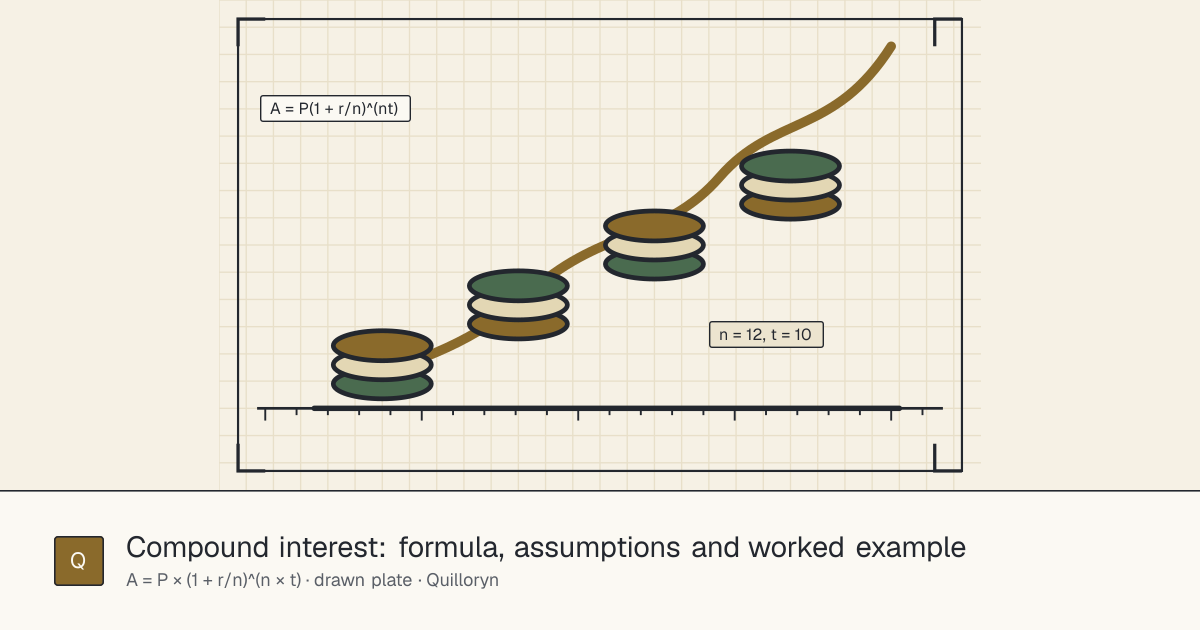
Type something like P*(1+r/n)^(n*t), fill in the letters, done. Double-check anything important.

Reference information

Rates and prices come from public sources and refresh at different speeds.

No account required

There are no accounts. Saved formulas are tied to this browser.

You press the button

Results show up when you hit Calculate, not while you're still typing.

Your own formulas

Loan repayments, a conversion factor you use at work, a physics formula from class. Write it once, plug in numbers whenever you need them.

  • Review a simplified form of the expression
  • Estimate a derivative at a point you choose
  • Use unit expressions and named values
  • Save, export or remove your formulas
expressionP * (1 + r/n)^(n*t)
valuesP=1000, r=0.05, n=12, t=10
illustrative result1647.0095

Illustration only; values and rounding depend on the expression entered.

Some examples

Click one to open it in the formula tool.

Where the numbers come from

Figures are supplied from external sources. Availability, coverage and update frequency vary by tool.

Reference figures are for general information, not advice. See the Disclaimer.

Questions

Things people have asked us.

The currency tool shows published reference values; the digital-asset tool shows market summaries; and the economy tool shows public indicators. Their sources and update schedules differ, and figures may be delayed, revised or unavailable. Reference values are not transaction offers or advice.
Each tool prepares an answer while you type, then waits for you to confirm. Press Convert, Calculate, Evaluate, Show or Filter — or press Enter in a field — to reveal it. Change an input and the result hides again until you confirm, so you always know which values produced the number you are looking at.
Press the microphone on the Calculators page, grant the browser's microphone permission, then say a complete request such as “Convert 120 US dollars to euros.” Speech becomes text, the language pack finds the amount, currencies or units and compiles a verified instruction. The page then automatically opens the relevant calculator with the values already filled in. Check those values before you rely on a result: speech recognition can mishear names, numbers or units.
The browser may need to prepare a native Web Speech API language pack when explicit on-device recognition is supported and required. Preparation needs a tap, and a fresh tap starts the microphone after it is ready. If no compatible browser speech service is available, voice stays unavailable; you can always type values instead.
The browser is showing, or is about to show, its own permission prompt. Choose Allow if you want to speak. If you previously denied the microphone, use the lock or microphone control in the browser address bar to change the setting, then try again. If another application is using the microphone, close it before retrying.
Voice needs HTTPS, microphone permission, a verified country or region, and a working Web Speech API service. On Android phones and tablets, use Chrome with Google Mobile Services (GMS) and Google speech recognition enabled. On iPhone and iPad, this site supports voice only in Safari with Apple’s system Siri speech-to-text technology. Availability depends on service, language, network and regional rules. The typed tools remain available.
Voice is recognised only through your browser’s Web Speech API. Chrome on Android uses the Google speech service through GMS; Safari on iPhone/iPad uses Apple’s system Siri speech-to-text. These services may send audio to their provider, so native recognition is not an offline guarantee. An explicitly supported local-only browser mode must keep processing on-device. This website does not receive or store microphone audio. Read the full details in the Voice input section of the Privacy Policy.
The recognizer produced text, but the site's deterministic language pack could not connect it to an approved tool or page. It does not guess and it never turns spoken text into an arbitrary web address. Say both sides of a conversion — for example, “5 miles to kilometers” — or name a known task such as “loan payment,” “split the bill,” “US inflation” or “scientific calculator.”
Recognition is best-effort: accents, background noise, microphone quality, language and the browser’s speech service can affect the transcript. The site interprets the returned text as a verified calculator command. A later recognition hypothesis may correct a mishearing, and phrase memory is optional. Always check the amount, currency or unit, and conversion direction in the opened tool.
Only in this browser, and only as a small phrase-to-command association. If the recognizer's first guess is wrong but another hypothesis is understood, the feature can remember that phrase so it works next time. It does not save audio or upload the phrase. “Forget learned phrases” on the voice card clears both learned phrases and the short-lived last-command context.
Yes, within the same browser session. After you say “120 dollars to euros,” return to the Calculators page and say “and 80” to reuse the currency direction with the new amount, or say “again” to repeat the verified command. The last command expires when the browser session ends or when you clear learned phrases.
Yes. Enter an expression with named values and press Evaluate. The formula tool can also show a simplified form and estimate a derivative. Check any important result independently.
No account is required. If you choose to save formulas, a random workspace reference helps show them again in the same browser. You can download or remove saved formulas in the Privacy Policy.
No. Calculations depend on your inputs; external figures can be delayed, changed or unavailable. Quilloryn does not provide professional advice. See the Disclaimer before relying on a result.